
SEO for website redesign means planning the search side of a new site before it goes live, so the pages that rank today keep their place after launch. The work is simple to describe: know your old URLs, send each one to its new home with a permanent redirect, and make sure Google can crawl the new site from day one.
Most traffic losses after a redesign come from missed redirects, a test site that stays blocked, or pages that quietly disappear. This guide follows Google's own documentation and walks through each step in order.
What changes in a redesign, and why it matters
A redesign can be a new look on the same URLs, or a full rebuild with new page addresses, a new platform or even a new domain. The more you change, the more search engines have to learn again.
Google's guide to moving a site with URL changes (last updated 20 August 2026) covers the case where page addresses change. It gives two pieces of advice that apply to any redesign:
- Change one thing at a time where you can, and launch in a quiet traffic period. Google's own example: if you plan a new domain, a new CMS and a new layout, do them one after the other.
- Expect some movement. Google says to expect temporary fluctuation in rankings while it recrawls, and that a medium sized site can take a few weeks or more.
If only the design changes and every URL stays the same, the risk is much lower. You still need to keep the content, titles and headings that earned the rankings. Our guide to how web dev and web design differ explains which team usually owns which part of this.
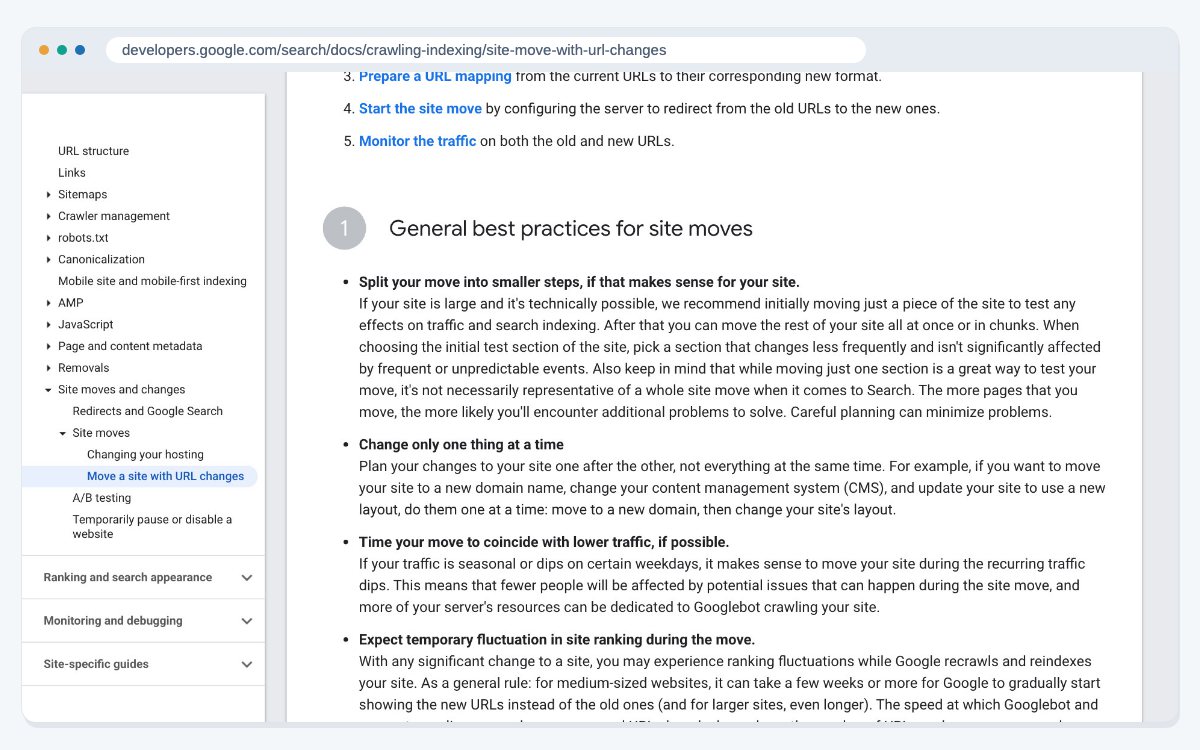
Take stock of what ranks today
Before anyone touches the design, record what the current site does well. Google suggests starting your list of old URLs from your sitemaps, the URLs with the most traffic in your server logs or analytics, and the links report in Search Console. It also says to include images, videos, JavaScript and CSS files, not only pages.
For each important page, save:
- The URL, title tag, main heading and meta description.
- Its clicks and impressions from Search Console.
- The internal links that point to it.
This list becomes your checklist for launch day. It also shows which pages you cannot afford to lose. A technical SEO review at this stage often finds problems the old site already had, such as broken links or duplicate pages, which are easier to fix during the rebuild than after it.
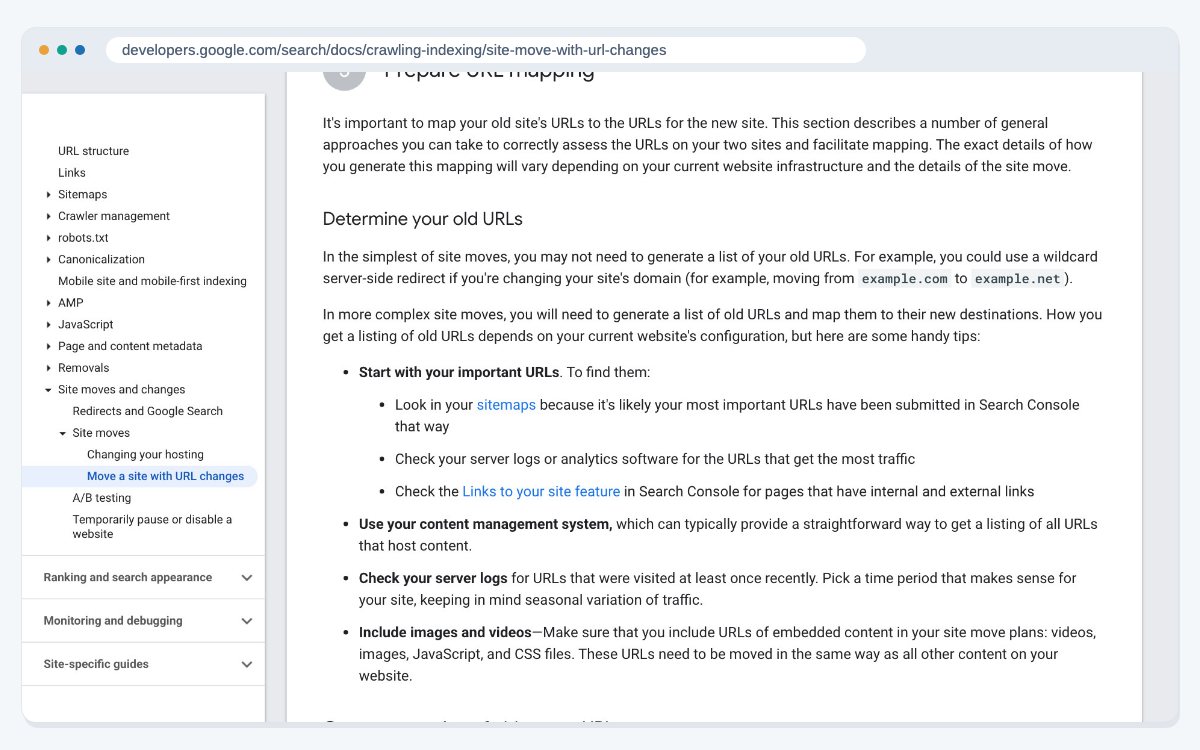
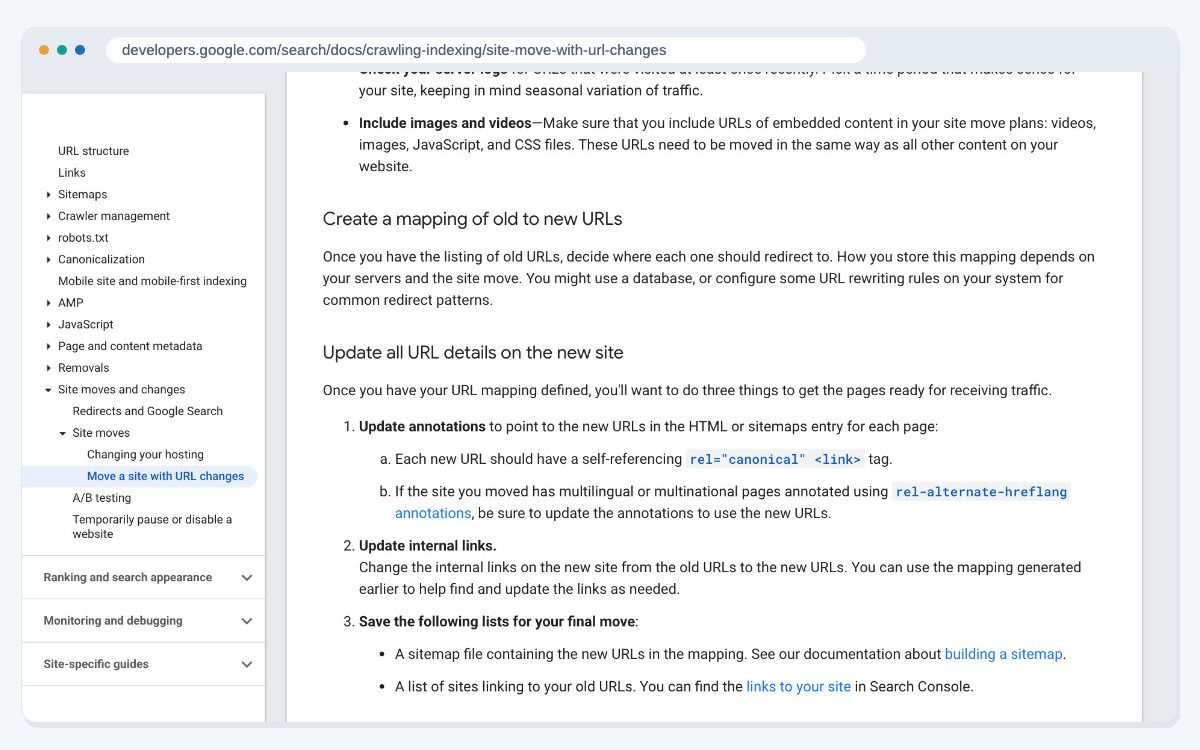
Map every old URL to a new one
Next, write down where each old URL will live on the new site. Google calls this a URL mapping and suggests keeping it in a database or as rewrite rules on your server.
On the new site, Google says to give each page a canonical tag that points to itself, update any hreflang tags, and update internal links so they point straight to the new addresses. Pages you are not moving should return a 404 or 410 status, not a redirect to something unrelated.
Keep the content that ranked. If a long guide is cut down to a short summary during the redesign, it may lose the queries it used to answer. The planning steps in our post on designing a website from scratch help you decide page by page what stays.
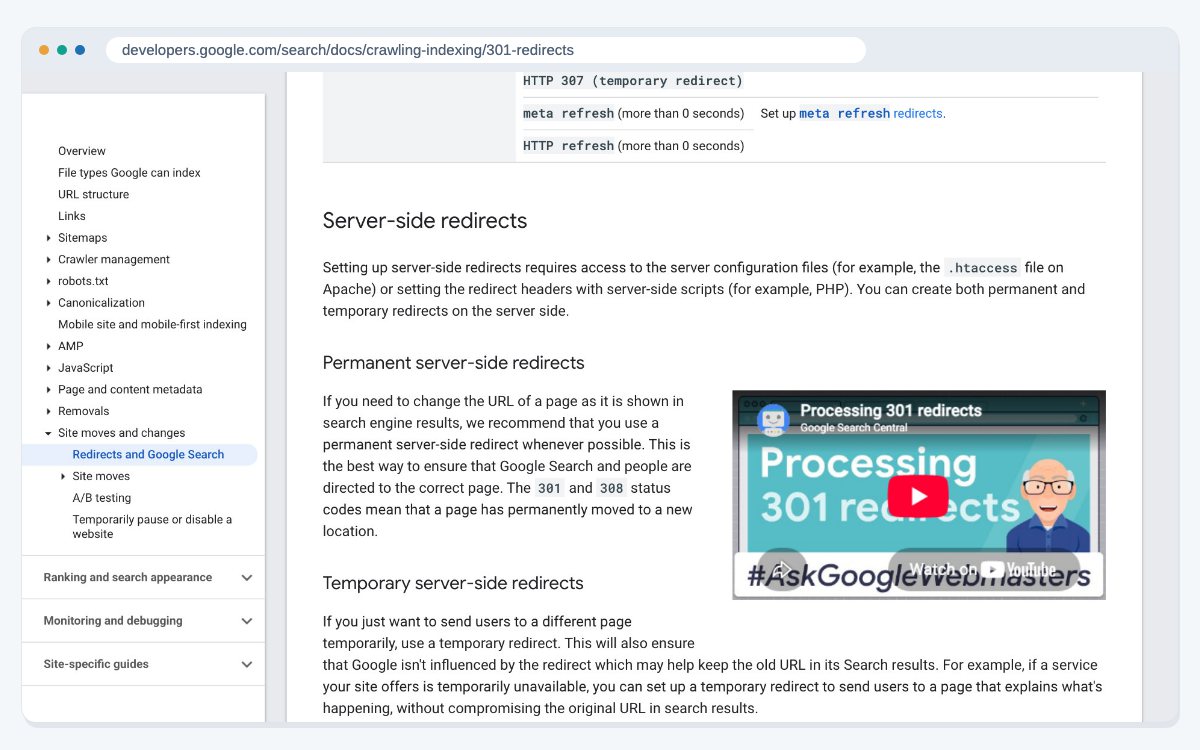
Use permanent redirects
Google's page on redirects and Google Search (last updated 14 April 2026) says server side redirects are the most reliable kind. The status codes 301 and 308 are permanent. The codes 302, 303 and 307 are temporary and tell Google to keep showing the old URL.
For a redesign, use permanent redirects from each old URL to its matching new page. Google's site move guide adds a few rules:
- Point straight to the final page. Avoid redirect chains, and if one can't be avoided, keep it to no more than three hops.
- Don't send everything to the homepage. Many old URLs redirected to one unrelated page don't help users or rankings.
- Keep redirects in place for a long time. Google says to keep them as long as possible, and generally for at least one year.
Google also notes that permanent redirects don't cause a loss of PageRank, so a clean redirect plan keeps the value of links other sites gave you.
Keep the test site private, then open it up
Most redesigns are built on a staging site first. You don't want that copy in search results, so it is usually blocked. The risk is that the block goes live with the new site.
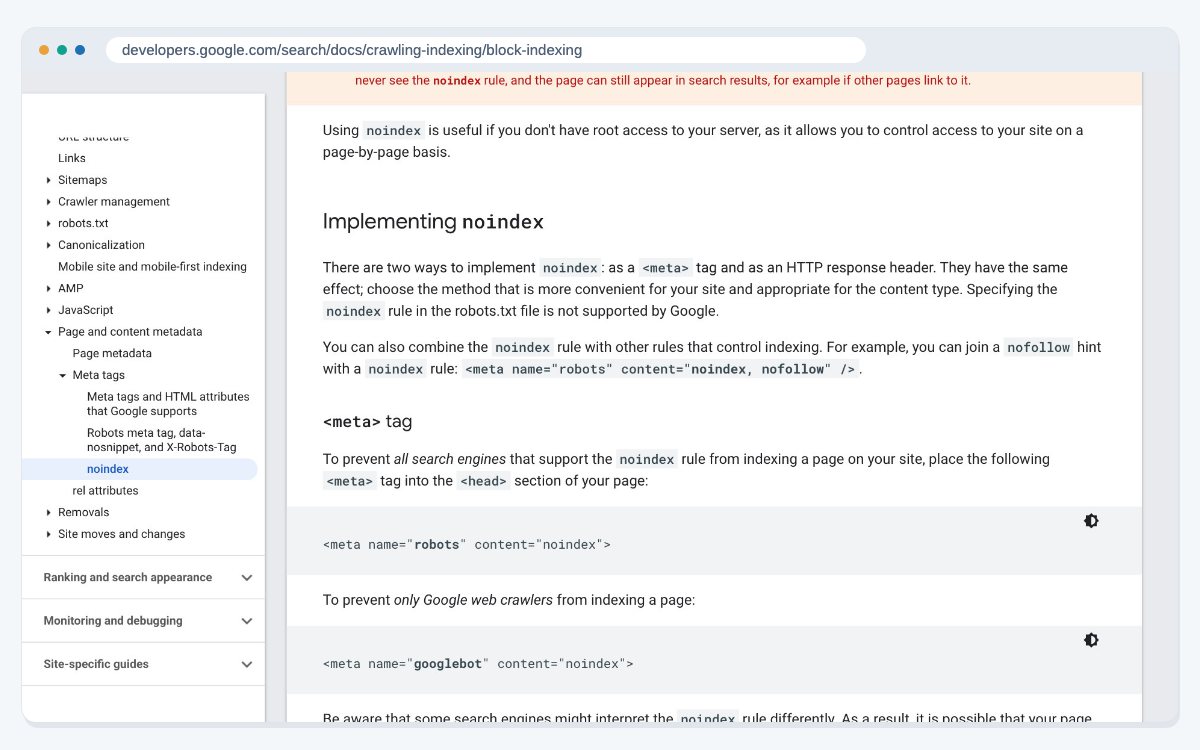
Google's page on blocking indexing with noindex (last updated 10 December 2025) explains the two ways to set it: a robots meta tag in the page head or an X-Robots-Tag HTTP header. It also warns that if robots.txt blocks a page, Google never sees the noindex rule, and the page can still appear in results.
On launch day, check the robots.txt file and the page source of a few key pages. Google's troubleshooting list for site moves names noindex tags and robots.txt blocks left over from testing as a common cause of problems. Good website redesign work treats this check as part of the launch, not an extra.
Launch day and Search Console
When the new site goes live, Google's site move guide suggests you:
- Turn on the redirects and test a sample with the URL Inspection tool.
- Submit the new sitemap in Search Console.
- Update internal links, and ask important sites that link to you to update their links.
- Point ad campaigns at the new landing pages.
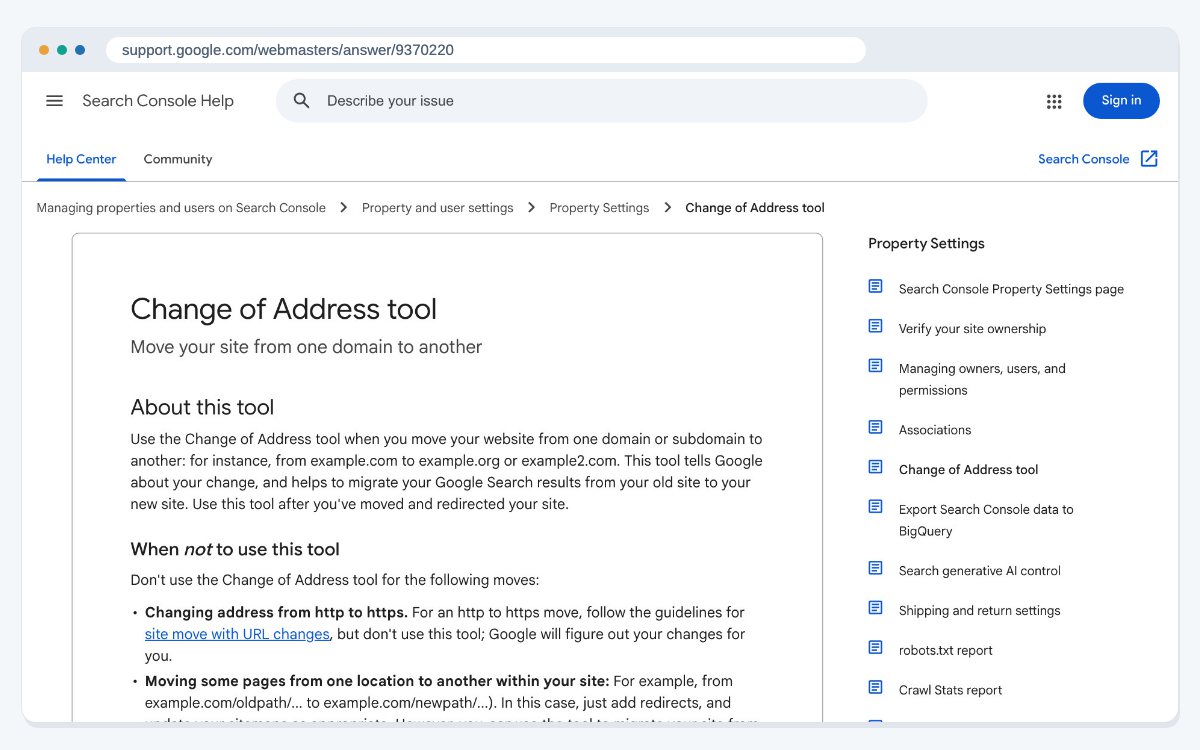
If the redesign also moves the site to a new domain, use the Change of Address tool in Search Console (checked on 24 October 2026). Google's help page says to use it after the site has moved and the redirects are working, and not for HTTP to HTTPS changes, path changes on the same site, or www to non www changes. Its effects last 180 days, and redirects should stay in place for at least that long.
If you are only changing hosting or adding a CDN while every URL stays the same, Google's separate guide to changing your hosting (last updated 10 December 2025) applies instead. It suggests lowering your DNS TTL about a week before the move and shutting down the old hosting only after its traffic reaches zero.
Watch the results after launch
The weeks after launch tell you whether the plan worked. Google suggests watching these in Search Console:
- Sitemaps: indexed pages on the old sitemap should fall while the new one rises.
- Page indexing: watch for a jump in "Not found" errors, which usually means a redirect points to a page that doesn't exist.
- Search performance: new URLs should start to gain impressions and clicks.
Check your server logs for Googlebot visits and unexpected errors too. Keep an eye on them for months, not days: regular website maintenance catches broken links and redirects before they pile up. Google says Googlebot crawls more heavily after a move, so the new server needs room for that. If a key page drops, compare it with what you saved in your stock take: the title, the headings, the content and the internal links. An AI SEO audit can also check that the new pages are still easy for AI search tools to read and quote.
If you would like help planning or checking a redesign, our SEO services can work alongside your design team.
Frequently asked questions
It can, but it doesn't have to. Google says to expect temporary ranking changes while it recrawls the site. Careful URL mapping, permanent redirects and an unblocked new site keep that period short.
No. Redirects are only needed when page addresses change. You still need to keep the content, titles and headings that the pages ranked for.
A server side permanent redirect, which is a 301 or 308 status code. Google treats 302, 303 and 307 as temporary and keeps showing the old URL.
Google's site move guide says to keep them as long as possible, and generally for at least one year.
Google advises against it. Send each old URL to its matching new page, and let pages you are not keeping return a 404 or 410.
Google says permanent redirects don't cause a loss of PageRank, so links to your old URLs still count when they are redirected properly.
Use a noindex robots meta tag or an X-Robots-Tag header on the staging site, and remove it before launch. Don't block those pages in robots.txt, or Google can't see the noindex rule.
Only when the site moves to a new domain or subdomain, after the redirects are live. Google's help page says not to use it for HTTP to HTTPS changes, path changes or www changes.
Google says a small to medium sized site can take a few weeks for most pages to move, and larger sites take longer.
Look for noindex tags or robots.txt blocks left over from testing, redirects that point to missing pages, and a spike in "Not found" errors in Search Console.
Sources
- Google Search Central: How to move a site with URL changes (last updated 20 August 2026)
- Google Search Central: Redirects and Google Search (last updated 14 April 2026)
- Google Search Central: Block Search indexing with noindex (last updated 10 December 2025)
- Search Console Help: Change of Address tool (checked 24 October 2026)
- Google Search Central: Changing your hosting (last updated 10 December 2025)
Last updated: